
Steam Adds Performance Monitoring Features Including FPS, CPU, and GPU Data
FPS·CPU·GPU 정보까지, 스팀 성능 모니터링 기능 추가
2025.07.02 12:15 UTC+9
AI Summary
Valve has added native performance monitoring to Steam. Users can now track frame rates, CPU, and RAM in real-time. Simply head to the In-Game settings to activate the display.

You can now track your PC's performance, including frame rates, CPU, and RAM usage, directly within Steam without needing any external software.
Valve officially rolled out a performance monitoring feature to Steam on the 1st. While the platform previously offered a rudimentary frame counter, this update brings a much more robust suite of real-time metrics.
The new additions include detailed readouts for CPU and GPU usage alongside RAM statistics. Specifically, the frame rate and per-core CPU usage now feature time-based graphs, allowing players to get a much more granular look at how their rigs are handling the load.

To enable this, head over to the top-left corner of the Steam client, click the Steam logo to open Settings, navigate to the 'In-Game' tab, and toggle on 'In-game performance monitoring'. You can also tweak the text size, color, position, and hotkeys to suit your preference.

스팀에서 외부 프로그램 없이 프레임 레이트, CPU, 램 등 PC 성능을 파악할 수 있게 됐다.
밸브는 지난 1일, 스팀에 성능 모니터링 기능을 공식적으로 추가했다. 기존에도 간단한 프레임 카운터 기능을 제공하긴 했으나, 이번 업데이트로 프레임 레이트를 실시간으로 확인할 수 있을 뿐 아니라 여러 세부 항목이 추가됐다.
새롭게 추가된 항목은 CPU 및 GPU 사용량, 램 세부 정보 등이다. 특히 프레임 레이트와 코어당 CPU 사용률의 경우 시간별 그래프가 함께 제공되어, 게이머들이 자신의 PC 성능을 한층 세밀하게 파악할 수 있을 것으로 보인다.
해당 기능을 적용하려면 스팀 클라이언트 좌측 상단에 있는 스팀 로고를 통해 설정에 들어간 후, ‘게임 관련’ 카테고리에서 ‘성능 모니터 표시’를 활성화하면 된다. 텍스트 크기와 채도, 표시 위치, 단축키 등을 조정할 수도 있다.
This news was translated by AI.

I will greet you with a good article. niro201@gamemeca.com
READ MORE
-
 Fallen Apostle, Dungeon & Fighter 'Michaela' Raid Opens on August 6th
-
 Kratos' Wife Takes Center Stage: God of War Laufey Launches in February
-
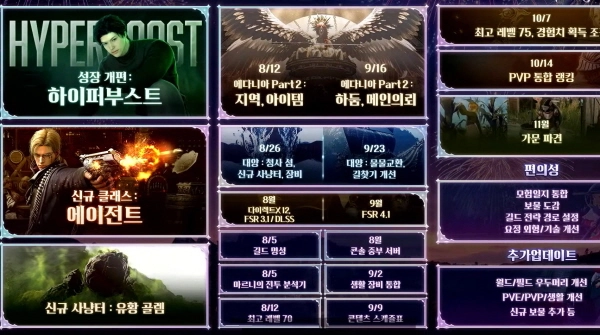 Hyper Boost and Level Revamp, Black Desert Second Half Roadmap Revealed
-
 Why did the Black Desert development team stand guard after the North American and European launch?
MOST POPULAR NEWS
- [gamescom 26] An RPG set in the US dominated by Japanese culture is coming
- "I am back": Kylian Mbappé selected as cover model for EA Sports FC 27
- Palworld Officially Released, Transformed Into an Entirely New Game
- VCT Pacific Stage 2, Gen.G secures sole lead with two consecutive wins
- Simultaneous Launch of Skins and Apparel, PUBG Mobile Collaborates with Musinsa
- High-end Gaming PC Giveaway Event Hosted for Kakao PUBG
- Webzen's 'Dragon Sword: Awakening' Injunction Dismissed, Steam Launch Confirmed
- KEL PUBG Mobile Finals to be Held in Daejeon on the 25th
- Epic Games Store Summer Sale Begins with Discounts Up to 80%
- [LOL Meme] ShowMaker's Resurrection, Hungry Spirit Leads DK to EWC Victory
MEDIA PARTNERSHIPS


GAMEMECA SNS