
A Failing Grade as a Game: Switch 2 'Drag x Drive'
게임으로선 낙제점, 스위치 2 ‘드래그 앤드 드라이브’
2025.08.20 16:53 UTC+9
AI Summary
Drag x Drive introduces a unique but frustrating mouse-scroll control scheme on Switch 2. The game suffers from thin content and an awkward matchmaking system that limits its appeal. Despite some fun mini-games, it feels more like a tech demo than a full-fledged sports experience.
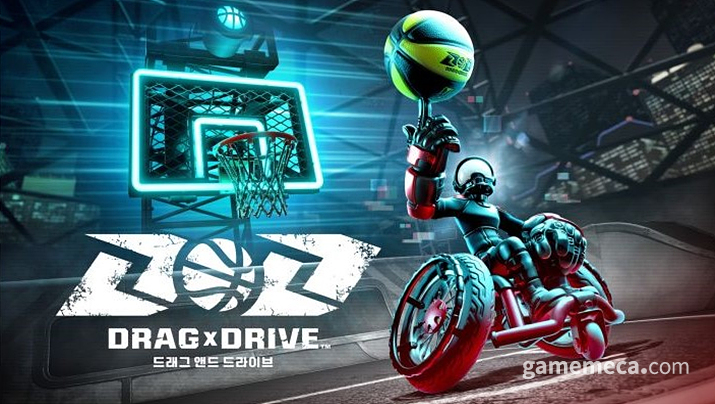
Drag x Drive is a sports title that attempts to translate the intensity of wheelchair basketball into a Nintendo Switch 2 experience, utilising the Joy-Con controllers' mouse-like functionality. I first caught a glimpse of it at the Tokyo hands-on event last April. The queues were interminable, so I settled for spectating, but the way players were practically 'pushing' their wheelchairs via the controllers looked genuinely innovative. That missed opportunity gnawed at me, so I vowed to dive in once it hit the shelves.
Having finally spent some time with the full release, I must admit the experience wasn't quite as fresh as I’d hoped. While the control scheme is novel, it’s also undeniably clunky, and the content is painfully sparse. Frankly, there’s little reason to keep playing; it feels less like a complete game and more like a glorified tech demo designed to show off the Switch 2's new hardware features.
Novel, but awkward controls
The core of Drag x Drive lies in its distinct input method. The Switch 2 supports a scroll-based control scheme similar to a mouse, where the L, R, ZL, and ZR buttons mimic left and right clicks. It’s convenient for navigating the My Nintendo Store, and it certainly promises a more familiar feel for upcoming FPS titles on the system.
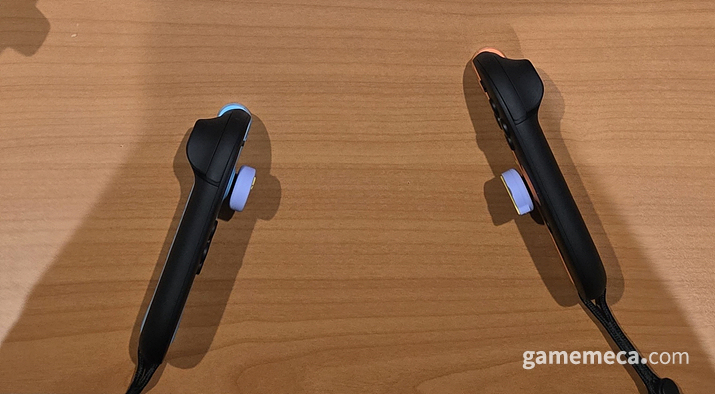
Drag x Drive leans heavily into this mouse-scroll mechanic. You place both controllers on your desk or lap and drag them to move; the right controller handles the right wheel, and the left handles the left. To shoot, you lift the controller and flick it forward as if launching a real shot. It’s intuitively designed to evoke the feeling of actual wheelchair basketball, which is a point in its favour.
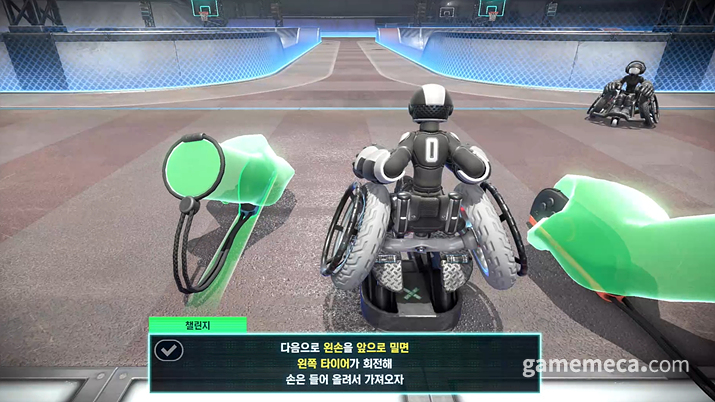
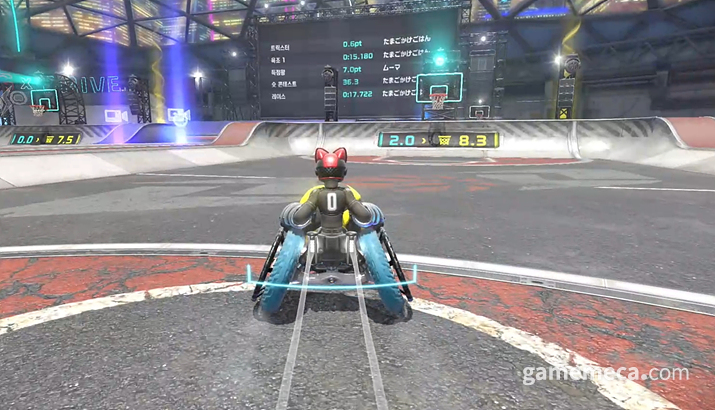
However, the reality is that the Switch 2’s controller ergonomics—and the practicalities of playing—make this setup needlessly cumbersome. Much like a real mouse, the drag detection fails on glass or reflective surfaces. Furthermore, you need a decent amount of clearance to generate any real speed. While resting them on my knees was the most comfortable option, the uneven surface made precision work nearly impossible.
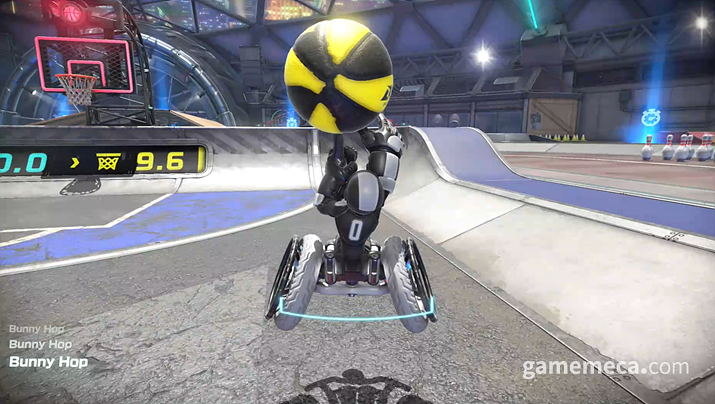
The most egregious issues arise with shooting and tricks. Shooting requires lifting the controller, but the sensor often gets confused, thinking it's already airborne, leading to frequent input errors. Even worse are the tricks, such as the 'Bunny Hop' into a shot. You have to brake with ZL and ZR, lift one Joy-Con followed by the other to jump, and then swing to shoot. Given the structural design of the Joy-Con, lifting them off a surface while holding the bumpers is quite a chore, and chaining a jump into a shot is so fluidly frustrating that I eventually gave up on tricks entirely.
3-on-3 basketball with quirky rules and tricks
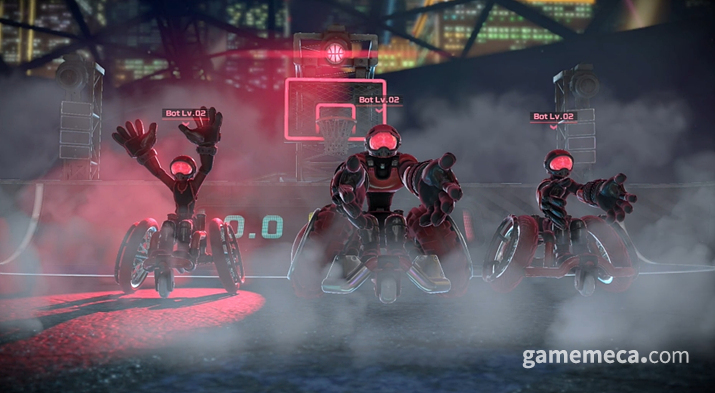
Matches are 3-on-3, adhering to standard street basketball rules. You can strip the ball by colliding head-on, and there’s a 14-second shot clock. Shooting is straightforward—aim and fire, and it usually goes in—and passes find your teammates with ease. It captures the spirit of street ball well enough through its simplicity. Each session consists of two 3-on-3 games, rounded off with a mandatory mini-game for everyone.
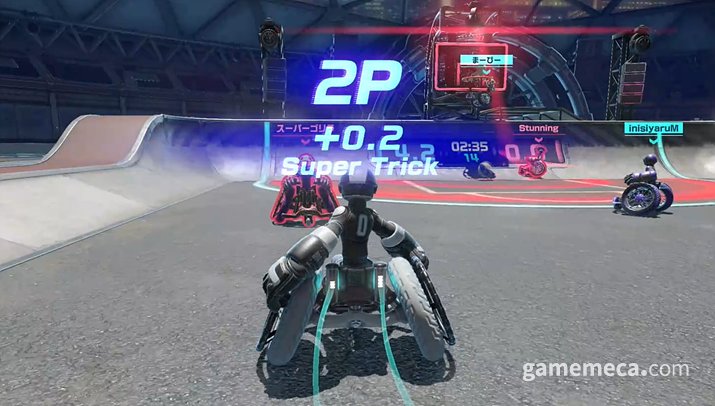
It’s a standard affair: 3 points from outside the line, 2 inside. Tricks net you bonus points—0.2 for hard ones, 0.1 for the easy variety. While these seem like small margins, they can swing a game. The problem, as you’ve likely guessed, is the wonky control scheme; in practice, almost nobody bothered with anything beyond a basic dunk.
Drag x Drive is fun for a quick round or two, but it lacks the legs for long-term engagement. The control scheme is physically tiring after an hour, and on launch day, my wrists were genuinely aching. Moreover, the 3-on-3 loop is so repetitive that the novelty wears off in a flash.
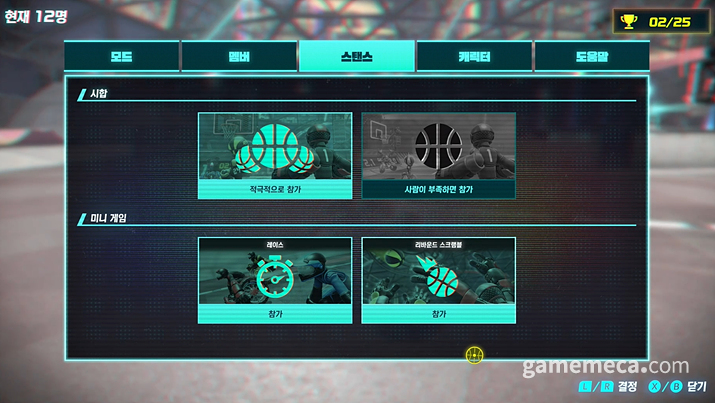
The matchmaking system is equally bizarre. It starts by dropping 12 players into a park. If the lobby isn't full or a match is already underway, you’re often left in limbo. It’s rare to see a full 12-person lobby, meaning you’ll frequently find yourself racing or playing mini-games entirely alone. I’ve even been dumped into matches just as they were ending, right before the mini-game phase, which feels disjointed.
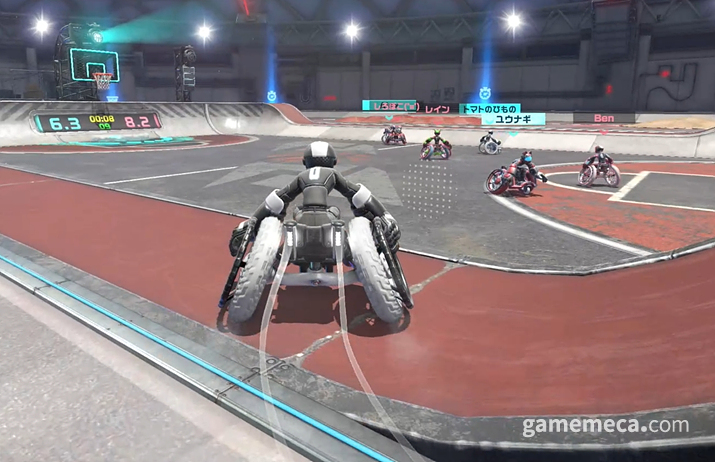
Interesting mini-games, but lacking in content
Ironically, the mini-games are more enjoyable than the actual matches. While the 12-player post-match activities are frantic, they are far too brief—usually 10-second races or ball-chasing segments. It seems the developers limited the duration to hide the clunky controls.
However, the mini-games scattered around the court are actually interesting. They are tied to challenges: sprinting up pipes, Bunny Hop jump rope, or vertical climbing. Achieving certain times or scores grants cosmetic items. They are short, but the variety makes them worth the effort.
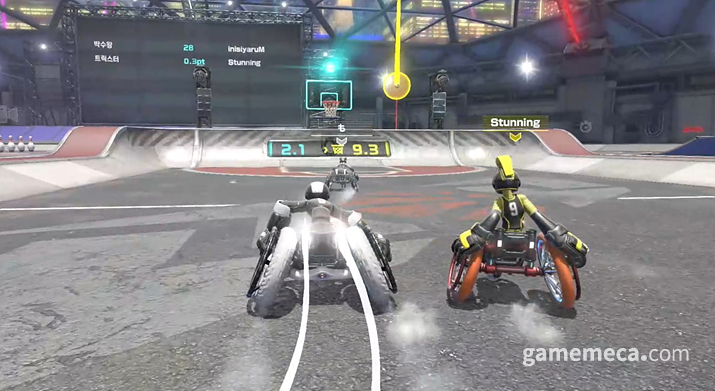
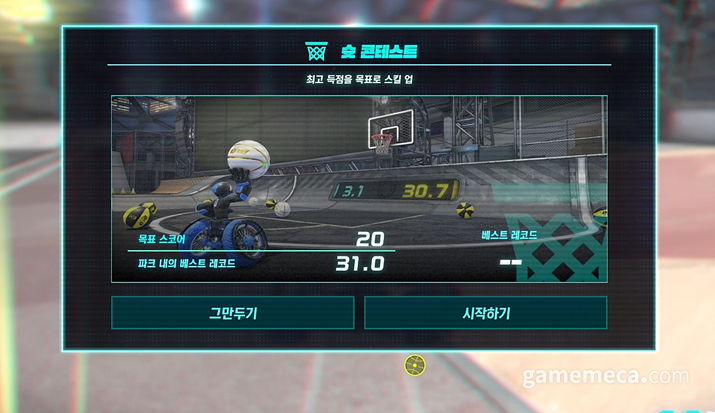
That, unfortunately, is the extent of it. Outside of mini-games, player battles, and bot matches, there is absolutely nothing else to do. There is no story mode, and perhaps due to the strange 12-player dual-match system, there are no leaderboards or ranked competitive modes to speak of. To top it off, you’ll need a Nintendo Switch Online subscription for the multiplayer.
Drag x Drive is a sports game that highlights a novel but ultimately frustrating control scheme. The content is so thin that the 19,800 Won price tag feels like a stretch. It would have been a far better inclusion in the tutorial game 'Nintendo Switch 2 Welcome Tour,' which faced heavy criticism when it was sold for 9,800 Won alongside the Switch 2 launch last June.
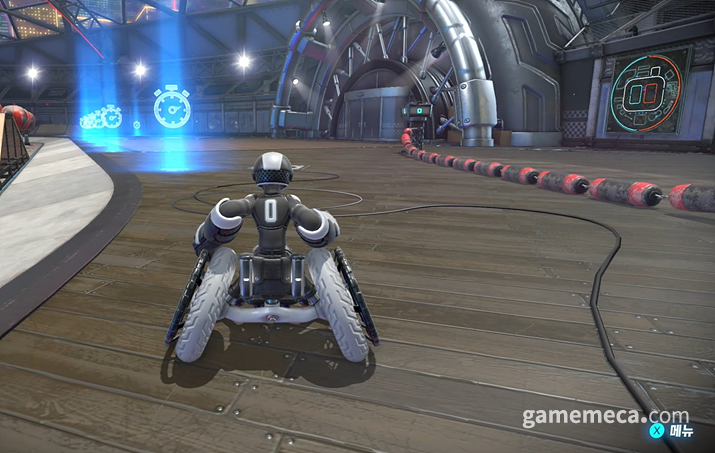
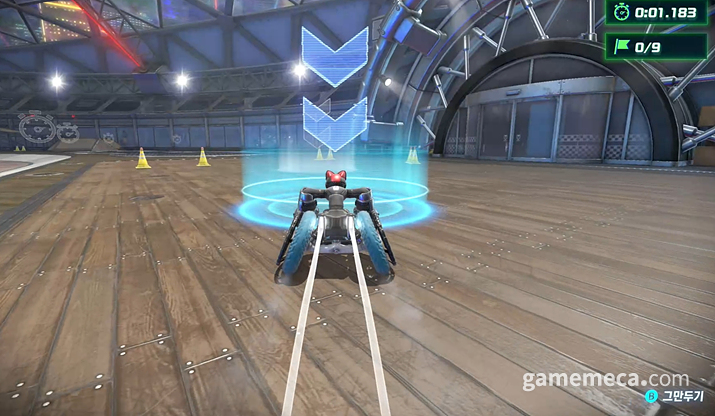
‘드래그 앤드 드라이브(Drag x Drive, 이하 드래그 드라이브)’는 휠체어 농구를 닌텐도 스위치 2 조이콘 컨트롤러 마우스 기능을 통해 구현한 스포츠게임이다. 게임을 처음 만난 것은 지난 4월 닌텐도 스위치 2 도쿄 시연회 현장이었다. 당시 기다리는 줄이 상당히 길어 플레이 장면을 구경만 했는데, 휠체어를 직접 컨트롤러로 미는 듯한 조작이 상당히 참신했다. 당시 체험하지 못한 점이 마음에 남아 출시된 후에는 직접 해봐야겠다고 생각했다.
정식 출시 후 플레이한 드래그 드라이브는 예상보다 신선하지 않았다. 조작법은 참신했지만, 그만큼 불편했고, 콘텐츠는 빈약했다. 플레이를 지속할 이유를 크게 느끼지 못할 정도였고, 게임 보다는 닌텐도 스위치 2 신규 기능을 알리는 테크 데모처럼 느껴졌다.
신선하지만 불편한 조작
드래그 드라이브의 핵심적인 특징 중 하나는 독특한 조작 방식이다. 닌텐도 스위치 2는 마우스와 유사한 스크롤 조작 방식을 지원한다. 이렇게 사용할 때는 L, R, ZL, ZR 버튼을 각각 마우스 왼쪽과 오른쪽 버튼으로 사용할 수 있다. 덕분에 마이 닌텐도 스토어에서 상당히 편리하며, 추후 출시될 FPS 게임들도 더 익숙한 방식으로 플레이 가능하다.
드래그 드라이브는 이 마우스 스크롤 방식을 적극 도입했다. 양 컨트롤러를 모두 책상 위나 무릎에 올리고 드래그하며 조작하는 것이다. 오른쪽 컨트롤러는 오른쪽 바퀴, 왼쪽 컨트롤러는 왼 바퀴에 대응한다. 슛을 하기 위해서는 컨트롤러를 하늘로 들어올린 뒤 실제 슛을 쏘는 것 처럼 앞으로 휘두르면 된다. 전반적으로 휠체어 농구를 떠올리게 해 상당히 직관적이라는 장점이 있다.
다만 문제가 있다면, 닌텐도 스위치 2 컨트롤러 구조나 플레이 여건에 따라 이 조작 방식이 지나치게 불편하다는 점이다. 마우스와 마찬가지로 유리나 반사되는 표면에서는 드래그 조작 인식이 안 된다. 또 속도를 내기 위해서는 드래그를 할 수 있는 일정 이상의 거리가 확보되어야 한다. 무릎 위가 가장 편했지만, 울퉁불퉁한 표면 때문인지 세밀한 조작이 어려웠다.
가장 심각한 문제는 슛 동작과 트릭이다. 슛 동작은 컨트롤러를 들어올려야 한다. 다만 간혹 이미 공중에 있다고 인식해서인지 조작 오류가 잦았다. 또한 '버니 합' 후 슛과 같은 트릭 조작법이 심각하게 어려웠다. 우선 ZL, ZR로 브레이크를 잡고, 한쪽 조이콘을 든 직후 반대 조이콘을 들어 점프(버니 합)를 한 뒤, 팔을 휘둘러 슛을 해야 한다. ZR, ZL를 누르면서 컨트롤러를 바닥에서 들어올리는 것 자체도 조이콘 구조상 상당히 힘들었는데, 그 와중에 점프 후 슛을 하는 동작을 물 흐르듯 잇는 것이 상당히 어려워 트릭이 없는 셈 치고 플레이했다.
기묘한 규칙과 트릭을 곁들인 3 대 3 농구
휠체어 농구는 3 대 3으로 진행되며, 규칙은 길거리 농구와 크게 다르지 않다. 적의 정면에서 부딪히면 공을 뺏을 수 있고, 14초 이상 공을 들고 있으면 공격권이 넘어간다. 슛은 방향을 맞추고 던지면 대부분 들어가며, 패스 역시 아군을 보고 던지기만 해도 손에 쏙 들어간다. 쉬운 조작과 단순한 게임성으로 길거리 농구의 느낌을 잘 표현했다. 실제 경기는 두 번의 3 대 3 대결을 펼친 뒤, 모두가 참여하는 미니게임을 하며 마무리된다.
라인 밖에서 슛을 넣으면 3점, 라인 안에서는 2점을 획득한다. 또한 트릭을 사용해 골을 넣으면 가산점이 부여된다. 어려운 트릭은 0.2점, 비교적 쉬운 트릭은 0.1점이 부여된다. 작은 수지만, 반복한다면 1점 이상의 차이를 내기도 한다. 다만 문제는 기묘한 조작 때문에 트릭이 어렵다는 점으로, 실제 게임에서도 덩크 외에 다른 것을 구사하는 유저는 거의 없었다.
드래그 드라이브는 짧게 몇 판을 플레이 할 때는 신선하고 재미있었지만, 장시간 붙잡기에는 적합하지 않았다. 조작 방식 때문에 1시간 이상 플레이할 때는 팔이 피로했고, 특히 플레이가 익숙하지 않았던 출시 첫 날에는 손목도 아플 정도였다. 여기에 3 대 3 대전 플레이는 짧고 단순하고 반복적인 만큼 빠르게 질렸다.
심지어 대전 매칭 방식도 상당히 기묘했다. 처음 매칭을 시작하면 총 12명의 플레이어가 농구장(파크)으로 이동한다. 다만 경기가 열린 후 파크에 들어가거나, 12인이 모두 차지 않을 경우 한 경기만 진행된다. 12명이 모두 차는 경우가 적은지, 꽤 자주 홀로 쓸쓸하게 레이스를 하거나, 미니게임을 즐길 수 밖에 없었다. 간혹 새로 매칭을 잡았는데 경기가 거의 끝나 미니게임 시작 직전에 난입하는 등 전반적으로 난잡했다.
흥미로운 미니게임과 부족한 콘텐츠
대전보다 오히려 재미있는 요소가 있다면 경기장 주변에서 플레이 가능한 미니게임일 것이다. 경기가 끝난 뒤 12인이 즐기는 미니게임은 박진감은 넘치지만 길이가 지나치게 짧았다. 10초 분량의 경주, 공 쫓기 등이 전부였는데, 불편한 조작 때문에 플레이 타임을 제한한 것으로 보인다.
반면 경기장 주변 미니게임은 흥미로웠다. 주로 챌린지와 연관됐는데, 파이프 위로 최대한 빠르게 달리기, 버니 합 줄넘기, 더 높은 곳에 도달하기 등 도전적인 요소가 많았다. 특정 시간이나 점수를 달성하면 꾸미기 아이템도 지급한다. 길이는 짧은 편이지만 종류가 다양해 플레이하는 보람이 있었다.
다만 실질적인 콘텐츠는 이것이 전부다. 미니게임, 플레이어 대전, 봇전을 제외하면 할 것이 아무것도 없다. 스토리 모드도 없으며, 12명이 들어가 두 경기가 동시에 열리는 기묘한 매칭 시스템 때문인지 리더보드, 랭크 경쟁 모드 등도 확인할 수 없었다. 심지어 플레이어 대전을 위해 닌텐도 스위치 온라인 서비스 가입은 필수다.
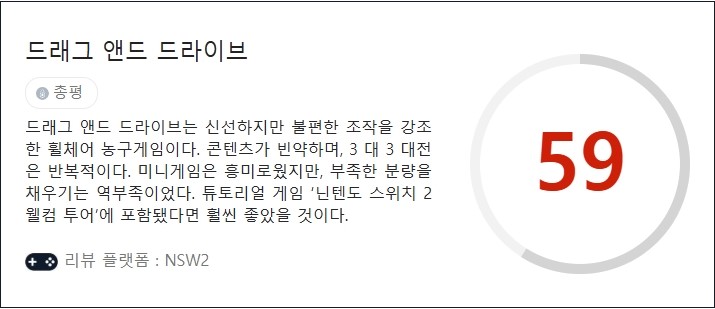
드래그 드라이브는 신선하지만 불편한 조작을 강조한 스포츠게임이다. 콘텐츠도 상당히 빈약해 1만 9,800원이라는 저렴한 가격이 이해가 갔다. 지난 6월 닌텐도 스위치 2 발매와 함께 9,800원에 판매해 큰 비판을 받았던 튜토리얼 게임 ‘닌텐도 스위치 2 웰컴 투어’에 포함됐다면 훨씬 좋았을 것이다.
This news was translated by AI.

I will always love games. skyanze@gamemeca.com
READ MORE
-
 A Harmony of Old School and the Scent of Blood: A Hands-on Experience with The Blood of Dawnwalker
-
 Boring repetitive farming is over, Granblue Fantasy: Relink - Endless Ragnarok
-
 Differentiating with a Relatable Narrative: A Hands-on Experience with the Domestic Action Game 'The Relic: First Guardian'
-
 The Uncomfortable Interview After Rejection: 'Thank You For Your Application'

MOST POPULAR NEWS
- Wallpaper Engine to Remove 'Application-Type Wallpapers' Due to Malware Abuse
- "We were incompetent," Sudden Attack 2 protagonists appear in Sudden Attack
- LINE Games Faces Capital Impairment, Implements Company-Wide Voluntary Retirement Amid Financial Crisis
- [Game Recs] 8 'God tier game' titles that became more enjoyable with recent Korean patches
- [Today's Steam] Princess Maker: Prophecy of the Children, finally you can raise her for 8 years
- [Ranking Man] Top 5 Least Popular Tags on Steam
- "Giving up on discs is a huge disappointment": Sony faces crossfire from all walks of life
- [Indie Talk] A 'MeeChu' VTuber is tracking me, Yandere Virus
- AION 2 players send a coffee truck to the development team
- Differentiating with a Relatable Narrative: A Hands-on Experience with the Domestic Action Game 'The Relic: First Guardian'
MEDIA PARTNERSHIPS


GAMEMECA SNS