
Is it worth 1.3 million KRW? Hands-on with ROG Xbox Ally X
130만 원 가치 있을까? 로그 Xbox 엘라이 X 체험기
2025.10.15 22:00 UTC+9
AI Summary
The ROG Xbox Ally X offers superior ergonomics and impulse triggers. Windows 11 integration is useful but suffers from stability and UI bloat. It is a premium, powerful handheld, though compatibility remains a mixed bag.

The Asus ROG Ally series, those handheld gaming PCs, first hit the scene in 2023 and captured global attention. Boasting high performance at a relatively accessible price, Asus doubled down in 2024 with the ROG Ally X, signaling their intent to remain a serious player in the handheld market.
On the 16th, Asus unveiled the new ROG Xbox Ally and ROG Xbox Ally X in collaboration with Microsoft. Priced at 799,000 KRW and 1,299,000 KRW respectively, the ROG Xbox Ally X model commands a 100,000 KRW premium over the standard Ally X, reflecting its upgraded processor. Gamemeca got an early look at the unit courtesy of Xbox to put it through its paces.
A unique grip born from its distinct silhouette
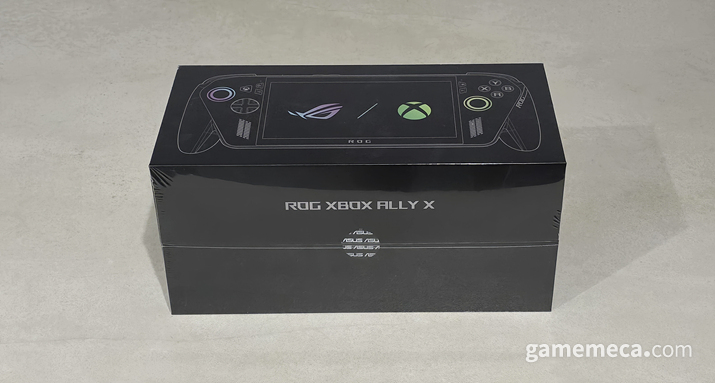
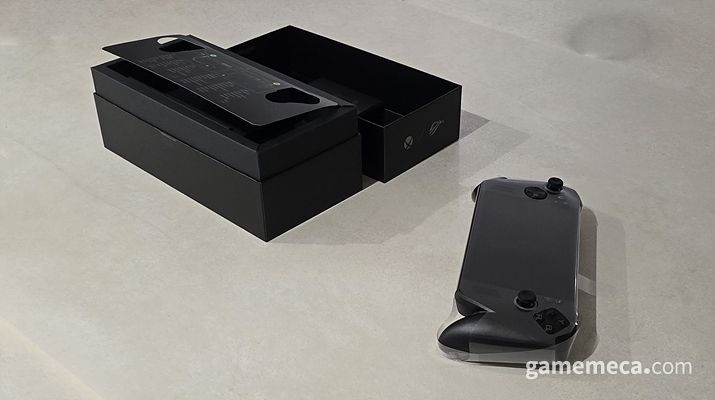
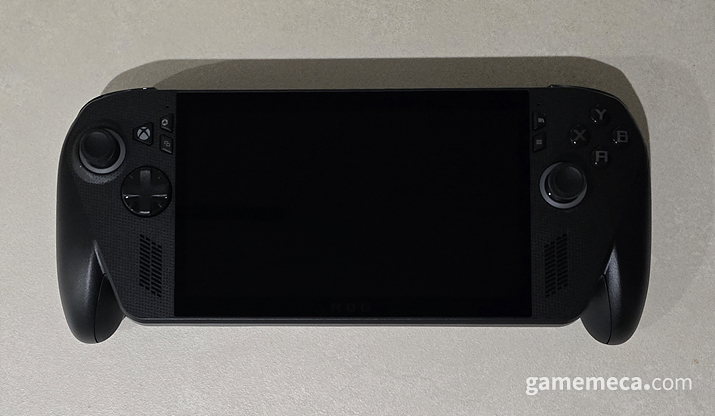
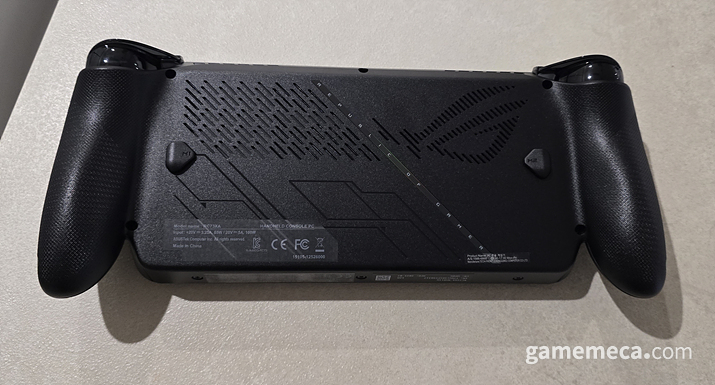
Unboxing the ROG Xbox Ally X, the first thing that hits you is the design. While most handhelds like the Lenovo Legion Go, the standard ROG Ally, or the Steam Deck lean towards a rectangular, slab-like aesthetic, the ROG Xbox Ally X takes a bolder approach. It mimics the curves of an Xbox controller, featuring prominent grips on both sides. It is a design choice that will inevitably divide opinion.
But hold it in your hands, and the logic becomes clear. It prioritizes functionality over pure aesthetics, offering surprising comfort and stability. The grip is excellent, and as an 'X' version, it includes those satisfying impulse triggers. Plus, the joysticks are accented with the signature LED lighting we've come to expect from the Ally line.
At 715g, the ROG Xbox Ally X is technically heavier than the 669g base Steam Deck. As someone who finds prolonged sessions with a Steam Deck while lying down to be a bit of a wrist-killer, I expected the worst. Yet, the ROG Xbox Ally X’s ergonomic distribution of weight makes it feel surprisingly light and comfortable for long-term play. It’s a testament to the fact that raw numbers don't tell the whole story.
An uneasy marriage of the Xbox ecosystem and Asus software
The integration of the Xbox Game Bar and Asus software is noteworthy. Unlike its predecessor, the ROG Xbox Ally X features a dedicated Xbox button. Tapping it opens the Game Bar. However, it's not without its quirks; it occasionally triggers Steam’s 'Big Picture' mode if you don't manually configure the settings, which can be a bit of a nuisance.
Functionality mirrors the standard PC Xbox Game Bar, now bolstered by Copilot AI beta features for when you're stuck in-game. My gripe, however, lies in how the 'Command Center'—the heart of Asus's device tuning—has been merged into the Game Bar. It feels cluttered and less intuitive than having a dedicated, separate interface.
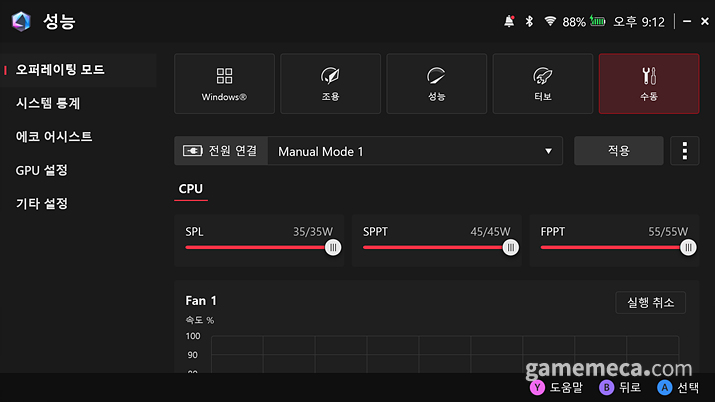
Armoury Crate remains the go-to for performance tweaking. In manual mode, you can push the power output up to 35W SPL, 45W SPPT, and 55W FPPT—effectively overclocking the device to squeeze out every drop of performance.
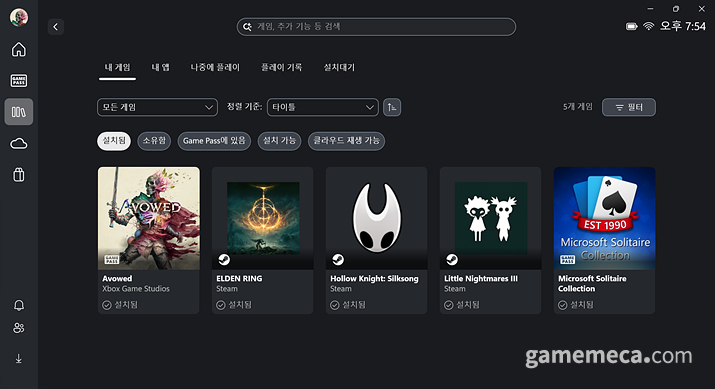
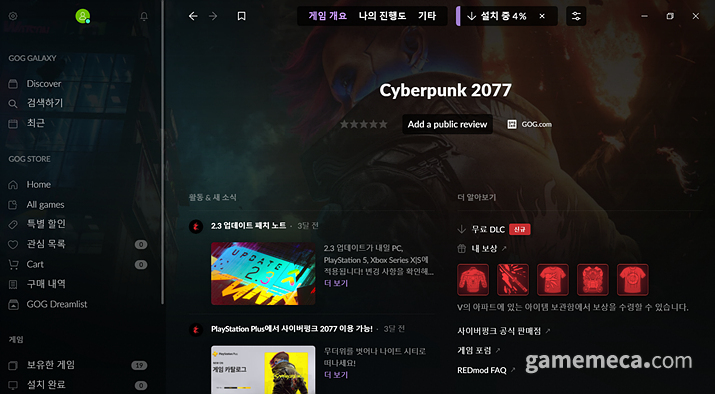
Furthermore, the device comes with the standard Xbox library integration found on PC. If you haven't used it, the convenience is genuinely surprising. It centralizes every game installed on your device into one view—a godsend in our current landscape of fragmented launchers like Ubisoft Connect, Steam, GOG, EA App, and the Epic Store.
Performance: The good, the bad, and the glitchy
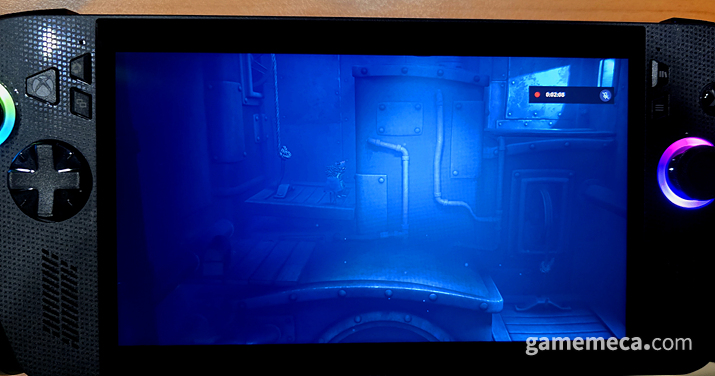
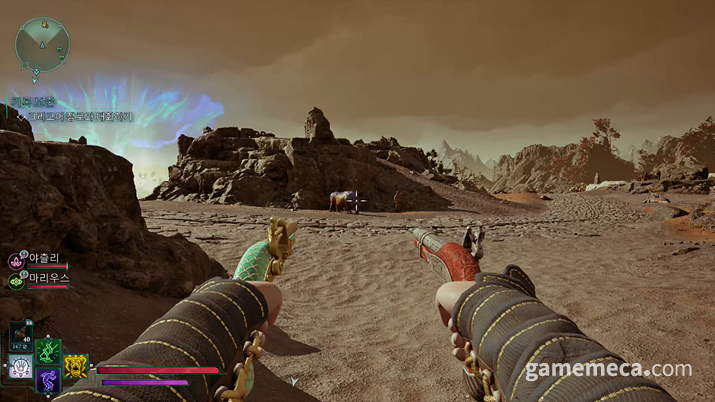
I tested the unit with Avowed, Elden Ring, Little Nightmares 3, Cyberpunk 2077, and Silksong. Titles that don't push the hardware to its absolute limits, like Little Nightmares 3 or Silksong, ran beautifully in Turbo mode.
Surprisingly, Avowed, an Xbox first-party title from Obsidian, struggled to hold 60fps. It felt like an optimization hurdle, requiring me to drop the graphical settings lower than what the auto-detect suggested. Conversely, Cyberpunk 2077 ran smooth as butter without any tweaking required.
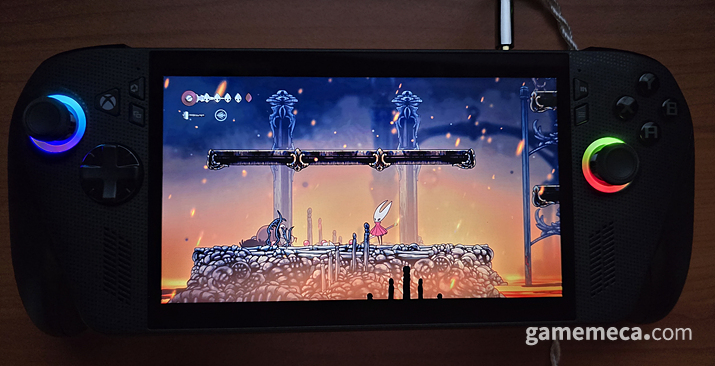
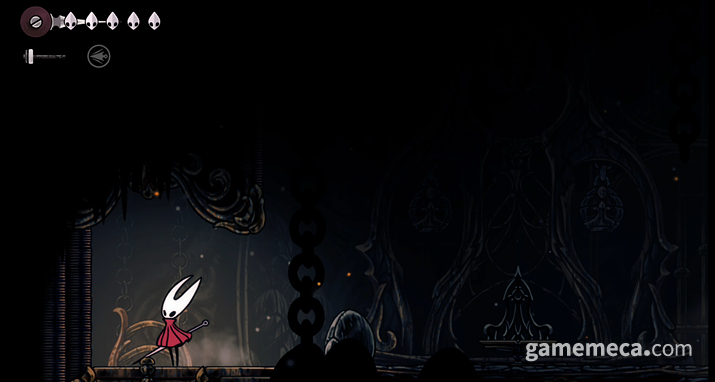
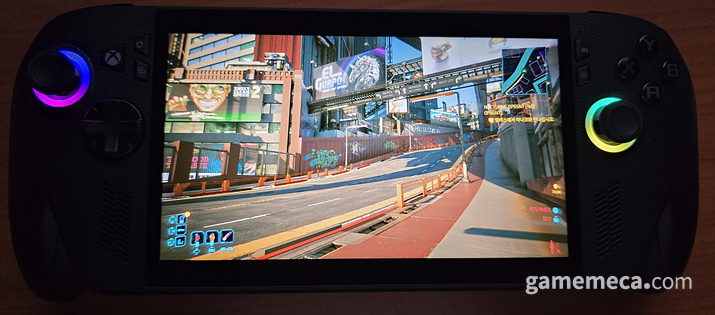
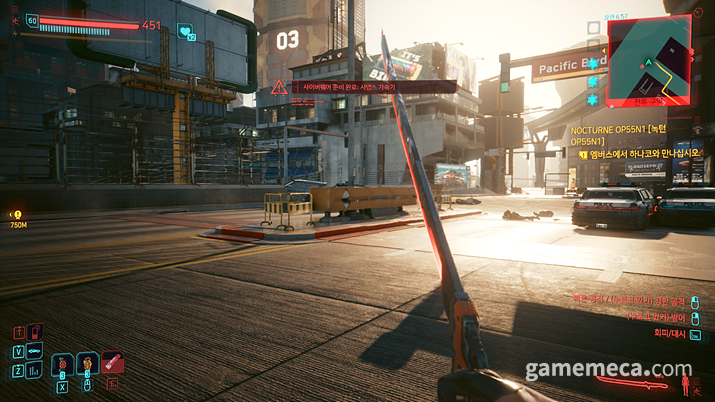
Vibration support is present in almost every game except Elden Ring, adding a nice layer of immersion. Little Nightmares 3 managed a solid session, draining the battery from 95% to 10% over about two and a half hours in Turbo mode. Cyberpunk 2077, with ray tracing off and medium settings, maintained a stable 60fps.
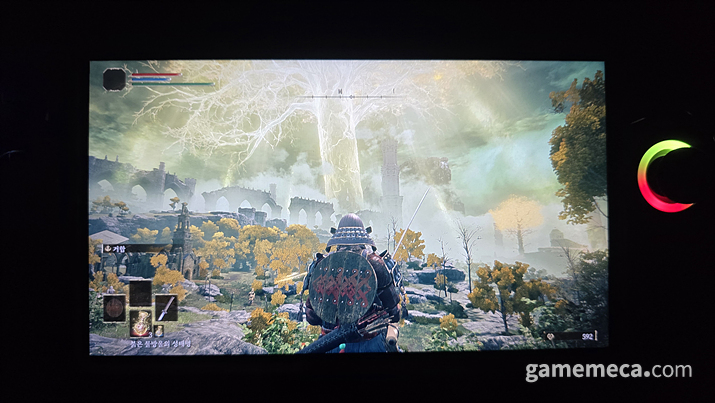
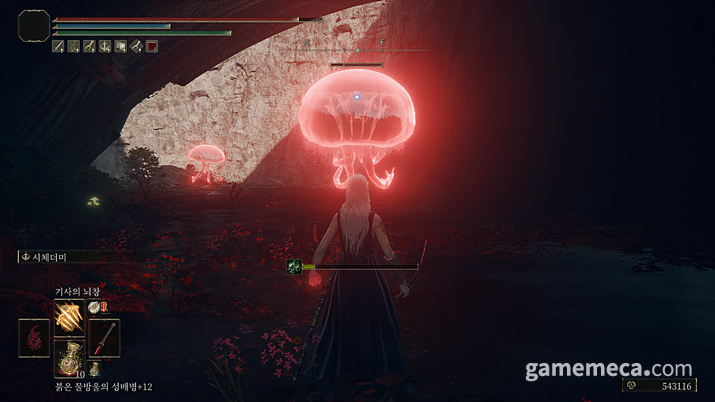
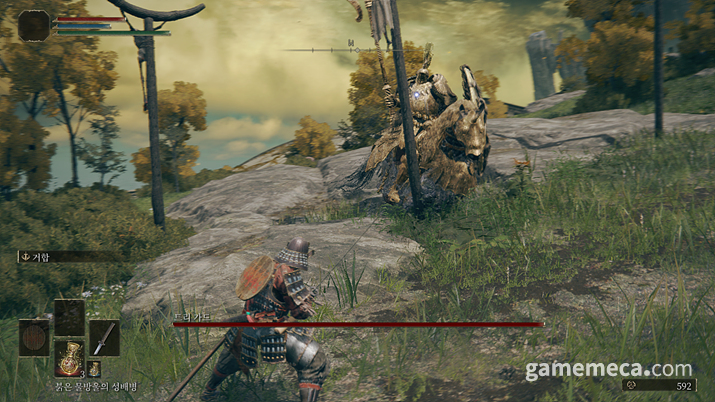
Elden Ring, however, was a headache. While frame rates were fine, the game would crash after 5 minutes in Turbo mode or 20 minutes in overclocked mode. Compatibility felt hit-or-miss; the game often failed to recognize the handheld as a controller, defaulting to keyboard prompts and failing to summon the virtual keyboard for character naming.

The Steam Deck showdown
Every handheld inevitably faces the Steam Deck comparison. The Deck is a purpose-built gaming machine with a bespoke OS, while the ROG Xbox Ally X is a Windows 11 machine that happens to be a handheld. You get the full PC experience, for better or worse.
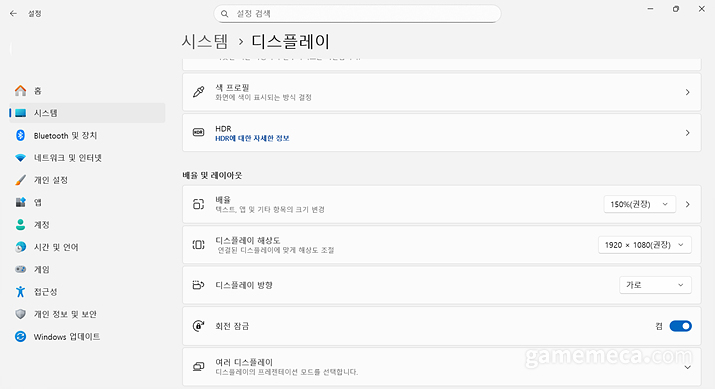
The biggest drawback is the Windows 11 baggage. Despite Asus touting a custom UI, it’s still fundamentally Windows 11. If you find the default Windows 11 experience clunky compared to Windows 10, this won't change your mind.
Compatibility-wise, the Steam Deck still has the edge. The 'Steam Deck Verified' program makes it dead simple to know what works. Asus has promised similar clarity with the Xbox store, but until they catch up to Steam’s massive library and infrastructure, it’s a bit of an uphill battle.
However, if you want a handheld that doubles as a portable productivity tool, Windows 11 is the king. While few people buy these for spreadsheets, the familiarity of Windows is a comfort for many local users who might find SteamOS a bit restrictive.
The ergonomics are undeniably superior to the Deck. The weight distribution is excellent, and the impulse triggers add a tactile layer of fun, even if the vibration isn't quite as punchy as a dedicated Xbox controller.
The ROG Xbox Ally X is a compelling choice for those seeking a new handheld. At 1,299,000 KRW, it’s a pricey investment, and you’ll have to contend with the quirks of Windows 11. But for the improved balance, those triggers, and the Xbox ecosystem integration, it’s a solid contender.
UMPC 에이수스 ROG 엘라이 시리즈(이하 로그 엘라이)는 2023년 처음 출시되어 전세계에서 주목 받았다. 저렴한 가격 대비 우월한 성능을 특징으로 내세웠으며, 2024년에는 후속기기인 로그 엘라이 X를 출시하며 지속적으로 헨드헬드 게이밍 PC를 개발할 것임을 발표했다.
에이수스는 16일 Xbox와 협업을 통해 로그 엘라이의 신규 모델인 로그 Xbox 엘라이와 로그 Xbox 엘라이 X를 출시한다. 가격은 각각 79만 9,000원과 129만 9,000원으로, 로그 Xbox 엘라이 X의 경우 로그 엘라이 X보다 10만 원 가격이 비싸며, 그만큼 프로세서 사양이 향상됐다. 게임메카는 출시 전 Xbox에서 로그 Xbox 엘라이 X를 지원받아 각종 게임을 플레이하며 기능을 접해봤다.
독특한 외형에서 오는 그립감
처음 로그 Xbox 엘라이 X를 개봉했을 때 일단 눈에 들어오는 것은 독특한 외형이다. 리전 고, 로그 엘라이, 스팀 덱 등 대중적인 휴대용 게이밍 PC는 대부분 네모 반듯한 모양이 특징이다. 반면 로그 Xbox 엘라이 X는 독특하게도 Xbox 컨트롤러 느낌으로 좌우 손잡이에 큰 돌출부가 나와있다. 외형 디자인 자체는 다소 호불호가 나뉠 수 있겠다.
그러나 실제 사용해본 로그 Xbox 엘라이 X의 컨트롤러 부분은 미학적 측면보다 기능성을 중시한 만큼의 편안함과 안정감을 전했다. 그립감이 상당히 우수했고, X 버전이었던 만큼 임펄스 트리거를 지원했다. 양쪽 조이스틱은 로그 엘라이 특유의 LED를 통해 포인트를 더했다.
로그 Xbox 엘라이 X의 스펙상 무게는 715g으로 스팀 덱 기본 모델의 669g보다는 분명 무겁다. 본 기자의 경우 스팀 덱은 누워서 들고 플레이시 오랜 기간을 플레이하기 어려웠는데, 장기간 들기에는 무겁게 느껴졌기 때문이다. 반면 로그 Xbox 엘라이 X는 컨트롤러 모양 손잡이로 무게중심이 분산되어 비교적 편안하고 오랜 기간 사용할 수 있었다. 수치상 무게가 다가 아니라는 것을 증명한 셈이다.
Xbox 통합 시스템과 에이수스 시스템의 조화
이외에도 인상적인 요소는 Xbox 게임바 및 에이수스 시스템의 연계다. 로그 Xbox 엘라이 X는 기존 로그 엘라이와 달리 Xbox 버튼이 추가됐다. 좌상단에 위치한 Xbox 버튼을 누르면 Xbox 게임바가 열린다. 다만 해당 버튼이 스팀 빅픽쳐 모드와 연계되어 이를 수동으로 제어하지 않으면 누를 때마다 스팀이 켜지는 단점도 있다.
기능은 일반 PC판 Xbox 게임바와 동일하며, 코파일럿 AI 베타 기능이 더해진다. 이를 활용해 게임 플레이에서 조언을 구하는 등이 가능하다. 다만 게임바에 에이수스 기기 조정 시스템인 ‘아머리 크레이트’의 ‘커맨드 센터’ 기능이 통합된 점은 다소 불편했다. 여러 아머리 기능을 직관적으로 확인하기가 다소 불편해 이전처럼 커맨드 센터를 분리해 지원하는 것이 더 낫다.
에이수스 기기 조정 시스템인 아머리 크리에이트는 기기 성능을 원하는 대로 조정할 수 있는 기존 기능을 대부분 지원한다. 수동 모드에서는 전력 출력을 각각 최대 SPL 35W, SPPT 45W, FPPT 55W까지 늘려 일종의 오버클럭까지 가능하다.
여기에 더해 PC에서도 지원되는 Xbox 라이브러리 기능이 기본적으로 탑재된다. 기존에 Xbox 라이브러리 기능을 사용해보지 않았다면 의외의 편의성에 놀랄 수 있다. Xbox 라이브러리는 기기에 설치된 모든 게임을 한번에 관리하는 기능을 지원한다. 요즘처럼 유비소프트 커넥트, 스팀, GOG, EA 앱, 에픽스토어 등으로 구매한 게임이 파편화된 환경에서 유용하다.
실제 플레이 해본 게임 별 장단점
로그 Xbox 엘라이 X로 체험해본 게임은 '어바우드', '엘든 링', '리틀 나이트메어 3', '사이버펑크 2077', '실크송'이었다. 휴대용 게이밍 PC였던 만큼 전반적으로 작은 화면도 잘 어울리고 기기 스펙에 큰 영향을 받지 않는 '리틀 나이트메어 3'나 '실크송'은 터보 성능 및 터보 모드에서도 잘 구현됐다.
다소 의외였던 점은 Xbox 퍼스트 파티인 옵시디언 스튜디오의 '어바우드'에서 60프레임 방어가 쉽지 않았다는 점이다. 최적화 문제로 보이는데, 자동으로 정해지는 스펙보다 한 단계 더 낮은 그래픽 설정으로 조정이 필요했다. 리틀 나이트메어 3나 실크송, 사이버펑크 2077의 경우 따로 손을 볼 필요 없이 게임이 원활하게 구동됐다.
엘든 링을 제외한 모든 게임에 진동 기능이 적용되어 역동적인 게임 감상이 가능한 점도 포인트다. 리틀 나이트메어 3의 경우 터보 모드에서 원활하게 구동됐으며, 약 2시간 30분 정도 플레이하니 배터리가 95%에서 10%로 감소했다. 사이버펑크 2077의 경우 그래픽 중간 옵션, 레이 트레이싱을 끈 배터리 터보 모드에서 약 60프레임으로 구동됐다.
다만 ‘엘든 링’에서 다소 문제가 있었다. 프레임 자체는 정상적으로 나왔지만 터보에서는 5분, 오버클럭 상태에서는 20분 이상 플레이시 게임이 강제로 중단됐다. 정확한 이유는 알 수 없으나, 호환성이 다소 떨어지는 느낌이었다. 휴대용 게이밍 PC를 인식하지 못해 패드를 사용 중임에도 모든 단축키가 키보드로 안내 됐고, 캐릭터 이름 설정시 가상 키보드가 나오지 않는 등의 문제도 있었다.
스팀 덱과의 비교
모든 휴대용 게이밍 PC는 스팀 덱과의 비교를 피할 수 없다. 스팀 덱은 스팀 전용으로 만들어진 만큼 자체적인 OS를 도입했고, 컴퓨터로서 기능 보다는 게이밍 자체에 집중했다. 반면 로그 Xbox 엘라이 X는 윈도우 11 기반인만큼, 컴퓨터로서의 기능을 활용할 수 있다.
로그 Xbox 엘라이 X를 순수하게 게이밍 기기로서 활용한다면 단점은 윈도우 11에 자동으로 탑재되는 부가적인 프로그램과 윈도우 11 자체의 문제다. 로그 Xbox 엘라이 X 전용 윈도우 11 UI를 도입했다는 안내에도 불구하고 기존 윈도우 11과 큰 차이를 느끼지는 못했다. 개인적으로는 윈도우 11 기본 UI가 윈도우 10 대비 상당히 불편하다고 여기는데 이것이 그대로 적용됐기 때문이다.
호환성 부분에서도 스팀 덱보다 이점이 적다. 스팀 덱은 스팀에 등록된 게임을 플레이하기 위한 휴대용 게이밍 PC다. 상점에서도 스팀 덱이 호환됨을 즉각 파악할 수 있도록 관련 안내도 확실하다. 로그 Xbox 엘라이 X 역시 향후 Xbox 상점을 통해 이런 호환성을 명확하게 표시하겠다고 발표했다. 하지만 Xbox 상점만으로는 PC 게이밍 선두를 달리는 스팀보다는 확인이 불편할 수 밖에 없다.
반면 문서 작업 등 게이밍 이외 영역에서 휴대용 게이밍 PC를 활용하길 원할 경우 보편적인 윈도우 11 환경이 편하다. 물론 게이밍 휴대용 게이밍 PC로 PC 관련 작업을 할 일이 많지는 않을 것이다. 또한 스팀 OS가 최적화가 탁월하고 게이밍에 적합하다는 이점이 있지만, 국내 이용자들에게는 윈도우 환경이 더 친숙한 것도 사실이다.
스팀 덱 대비 휴대용 게이밍 PC를 잡는 감각, 그립감은 더 좋다. 무게중심이 잘 잡혀있어 무게 대비 가볍게 느껴지며, 트랙패드가 없는 공간을 활용한다. 또한 임펄스 트리거 역시 잘 작동한다. Xbox 컨트롤러 대비 진동의 세기는 약하고 지원하는 게임이 많지는 않지만, 플레이에 있어 재미를 더하는 요소다.
로그 Xbox 엘라이 X는 신형 휴대용 게이밍 PC를 구매하고자 하는 게이머에게는 고려할 만한 선택지 중 하나다. 비록 가격이 129만 9,000원으로 부담스러울 수 있고, 커스텀 윈도우 11이 지닌 구조적인 문제나 호환성 등은 단점으로 다가온다. 대신 무게 중심이 잘 잡힌 점이나 임펄스 트리거, Xbox 게임바 등은 분명 장점이다.
This news was translated by AI.

I will always love games. skyanze@gamemeca.com
READ MORE
-
 [FigureMeca] That day, gamers remembered. Attack on Titan...
-
 [precedent.zip] Even if the original owner reclaims the account after a transaction, protection is difficult
-
 [Board Game] Translation is the flaw in the gem, The Elder Scrolls: Betrayer of the Second Era
-
 Major Game Company Acquisitions: The Top 10 News of the First Half of 2026
RECOMMENDED NEWS
MOST POPULAR NEWS
- Dplus KIA Admits Salary Delays, Confirms Club Sale in Progress
- Deciding the Path to Champions, VCT Pacific Stage 2 Opening Announced
- Shoulder to shoulder with Ronaldo, Faker named Esports World Cup ambassador
- Catch! Teenieping Arrives in KartRider Rush+ Collaboration
- Adventure with Cute Summons, New MMO 'Dream Traveler: Starlight Journey' Released
- Learn card games at the station, 'Pokémon Mega Festa' kicks off in Busan
- GTA 6 Estimated to Have Earned $260 Million in Pre-orders Within 3 Weeks
- [Monster Hunter Wilds] Price permanently reduced by 45% starting August 4th
- League of Legends to Host Wild Fan Fest at Hyundai Department Store in Yeouido and Pangyo
- FromSoftware's new title 'The Duskbloods' to hold test in August
MEDIA PARTNERSHIPS


GAMEMECA SNS