
Preventing Privacy Exposure, Opera GX Unveils 'Streaming Profile'
프라이버시 노출 방지, 오페라 GX '스트리밍 프로필' 공개
2025.10.29 15:24 UTC+9
AI Summary
Opera GX introduces a Streaming Profile to enhance privacy. It hides browsing data and provides tools to secure your broadcast. Users can download it now and save on Streamlabs Ultra subscriptions.
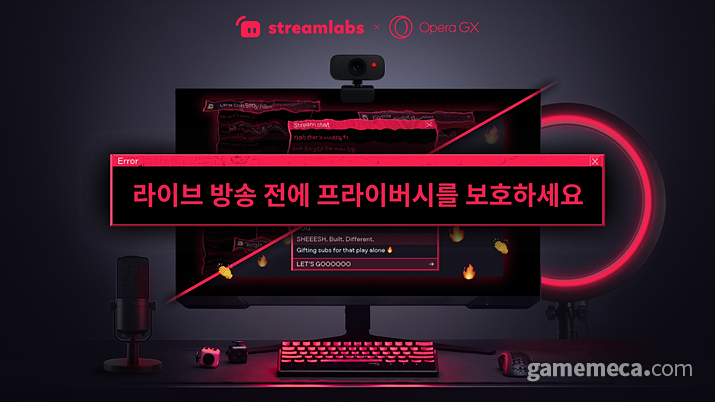
Web browser Opera GX has unveiled a new feature, 'Streaming Profile,' designed to protect creators' privacy and support a stable broadcasting environment.
This feature was developed based on feedback from streamers to address privacy exposure issues that can occur during live broadcasts. First, it allows users to hide recommended sites based on browsing history. It is also possible to set the start page so that recent shopping history does not appear. Additionally, browser history and recent search terms can be hidden from the address bar and search field, and widgets and recommended speed dials can be removed from the start page to keep the broadcast screen clean.
Control features to create a distraction-free streaming environment have also been enhanced. Streamers can mute all tabs or turn off browser audio entirely. Furthermore, the built-in ad blocker can prevent unnecessary pop-ups. Social media and messenger apps located in the sidebar are automatically hidden to protect private conversations, and if necessary, hardware acceleration can be disabled to improve compatibility with screen capture tools and video content.
Streaming Profile can be created by clicking the Opera GX logo in the top-left corner of the browser and selecting 'Profiles' in the settings menu. A dedicated desktop shortcut is automatically created upon setup, allowing streamers to start broadcasting in their own tailored environment immediately without additional switching.
To celebrate the launch, a special discount in collaboration with Streamlabs is also provided. Streamlabs is a globally widely used provider of streaming and recording software. Through this collaboration, GX users can receive a discount of $12 (approx. 17,200 KRW) per month or $39 (approx. 56,000 KRW) per year on a Streamlabs Ultra subscription.
Opera GX is available for free download via its official website.
웹 브라우저 오페라 GX가 크리에이터의 개인정보를 보호하고 안정적인 방송 환경을 지원하는 새로운 기능 '스트리밍 프로필(Streaming Profile)'을 공개했다.
이번 기능은 스트리머들의 피드백을 바탕으로 라이브 방송에서 발생할 수 있는 프라이버시 노출 문제를 해결하기 위해 설계됐다. 먼저 브라우징 기록을 기반으로 한 추천 사이트를 숨길 수 있다. 시작 페이지에 최근 본 쇼핑 내역이 뜨지 않도록 설정하는 것도 가능하다. 이외에도 주소창과 검색창에 브라우저 기록과 최근 검색어가 표시되지 않도록 할 수 있고, 시작 페이지에서 위젯과 추천 스피드 다이얼을 제거해 방송 화면을 깔끔하게 유지하는 것도 가능하다.
방해 없는 스트리밍 환경을 조성하기 위한 제어 기능도 강화됐다. 스트리머는 모든 탭을 음소거하거나 브라우저의 소리를 끌 수 있다. 또한 내장된 광고 차단기를 통해 불필요한 팝업을 방지하는 것도 가능하다. 사이드바에 위치한 소셜미디어와 메신저 앱은 자동으로 숨겨져 개인 대화를 보호할 수 있고, 필요한 경우 하드웨어 가속을 비활성화 해 화면 캡처 도구 및 영상 콘텐츠와의 호환성도 높일 수 있다.
스트리밍 프로필은 브라우저 좌측 상단 오페라 GX 로고를 클릭한 뒤, 설정 화면에서 ‘프로필’을 선택해 생성할 수 있다. 생성과 동시에 전용 데스크톱 바로가기가 자동으로 만들어져, 스트리머는 별도의 전환 없이 곧바로 자신만의 스트리밍 환경에서 방송을 시작할 수 있다.
출시 기념으로 스트림랩스(Streamlabs)와 협업한 특별 할인도 제공한다. 스트림랩스는 전 세계적으로 널리 사용되는 스트리밍 및 녹화용 소프트웨어 제공업체로, GX 사용자는 이번 협업을 통해 스트림랩스 울트라(Streamlabs Ultra) 구독 시 월 12 달러(한화 약 1만 7,200원), 연간 39 달러(한화 약 5만 6,000원)를 할인 받을 수 있다.
오페라 GX는 공식 홈페이지를 통해 무료로 다운로드할 수 있다.
This news was translated by AI.

I will greet you with a good article. niro201@gamemeca.com
READ MORE
-
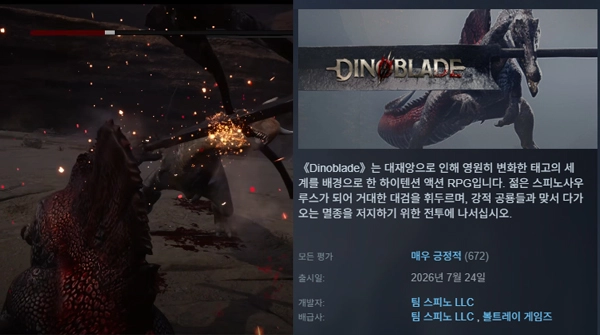 Greatsword-wielding dinosaur soulslike DinoBlade receives 'Very Positive' Steam rating
-
 Inspired by Silent Hill, New Korean Survival Game 'Nowhere Dawn' Revealed
-
 [gamescom 26] An RPG set in the US dominated by Japanese culture is coming
-
 Permanent Mercenary Usage, Path of Exile New League Starts on the 25th
MOST POPULAR NEWS
- "I am back": Kylian Mbappé selected as cover model for EA Sports FC 27
- Palworld Officially Released, Transformed Into an Entirely New Game
- VCT Pacific Stage 2, Gen.G secures sole lead with two consecutive wins
- Simultaneous Launch of Skins and Apparel, PUBG Mobile Collaborates with Musinsa
- High-end Gaming PC Giveaway Event Hosted for Kakao PUBG
- Webzen's 'Dragon Sword: Awakening' Injunction Dismissed, Steam Launch Confirmed
- Epic Games Store Summer Sale Begins with Discounts Up to 80%
- KEL PUBG Mobile Finals to be Held in Daejeon on the 25th
- [LOL Meme] ShowMaker's Resurrection, Hungry Spirit Leads DK to EWC Victory
- New Relics and Balancing Included, Slay the Spire 2 Update Applied
MEDIA PARTNERSHIPS


GAMEMECA SNS